
Mental health apps for kids can help with calm, expression, and small daily check-ins at home, especially when they are private, age-appropriate, and low pressure. The best ones do not try to replace therapy. Instead, they give children a gentle way to express feelings, often through drawing, prompts, or short guided activities.
Finding emotional support for a child at home can still feel oddly complicated. You may want something gentle, private, and easy to try. At the same time, you want something that does not overstep, overwhelm, or ask kids to do more talking than they can manage.
That is the tension with many mental health apps for kids. Some are too open-ended. Some feel built for adults. Others offer ideas, but not much structure. This guide ranks five digital tools that may support children safely at home, with a close look at guidance, privacy, age fit, and emotional pressure. We also place these apps in the broader context of art therapy for children, because for many kids, drawing and image-making can feel more reachable than words alone.
How these mental health apps for kids were ranked
This list focuses on one question: which digital tools feel safest and most usable for children at home? That is not exactly the same as asking which app has the most features. For kids, safety often means clear scope, low pressure, age-appropriate design, private use, and a format that supports expression without pretending to replace professional care.
The highest-ranked option here stands out because it offers guided, therapist-designed creative practice in short sessions, with clear boundaries about what the app can and cannot do. Lower-ranked options may still be helpful, especially if your child prefers journaling, psychoeducation, or downloadable guidance. They simply come with more trade-offs for younger users.
If you are still sorting out whether a visual tool is the right fit, our resources on Art Therapy Fundamentals and Digital Art Therapy & Apps can help frame the bigger picture.
Privacy and data safety checklist for mental health apps for kids
Mental health apps for kids can involve sensitive material: feelings, fears, conflicts at school, family stress, identity questions, or private drawings and notes. Before downloading anything, it helps to do a quick privacy pass, especially if the tool is not explicitly built for children.
Here is a practical checklist you can use. You do not need to understand every technical detail. You are mainly looking for clarity, control, and minimal data collection.
- What data is collected: Look for a plain-language list of what the app collects (email, device identifiers, usage analytics, journal content, voice recordings, photos, location). If it is unclear, that is a signal to slow down.
- How journal or drawing content is handled: Check whether entries are stored only on-device, stored in the cloud, or shared with third parties. If the app offers “backup,” that often means cloud storage.
- Encryption and access controls: Look for mention of encryption and basic protections like passcodes, biometrics, or private mode. If the app supports sharing, check whether sharing is opt-in and clearly controlled.
- Data sharing and advertising: See whether the app shares data with advertisers or uses ad tracking. An app that relies on ad networks may collect more information than you expect.
- Account deletion and data deletion: Confirm there is a clear way to delete an account and request deletion of associated data. Some apps make this difficult, or they separate “deactivate” from “delete.”
- AI features and training data: If the app uses AI, look for specifics about whether your child’s content may be used to improve models, and what controls exist. Vague language like “we may use your data to improve services” is worth questioning.
Child privacy signals to look for in mental health apps for kids
The app store listing and privacy policy can also give you hints about age fit and protections. In the United States, you may see child-protection language connected to COPPA. Some apps include age gates, parent consent flows, or settings that limit sharing for minors. Those details do not guarantee safety, but they are meaningful signals that a company has at least considered children’s privacy constraints.
Red flags tend to be less about one specific feature and more about the overall social and moderation risk. A child-focused support tool generally should not require social feeds, direct messages with strangers, or public posting to “work.” If an app includes social features, look for clear moderation policies, reporting tools, and explanations of how minors are protected. If those safeguards are missing or vague, the risk profile changes quickly.
Full comparison table
| Product | Brand | Price | Rating | Best for | Key strength | Main drawback | Format |
|---|---|---|---|---|---|---|---|
| Daily Lemons | Daily Lemons | , | 4.8/5 | Guided creative emotional expression for kids who struggle to verbalize feelings | Therapist-designed, short guided drawing sessions with privacy-minded structure | No published price in the available data | Digital art therapy app |
| Reflection app | Reflection | Free | 3.9/5 | Older kids who already like journaling | Free private entries with prompts and search | Text-heavy format may not fit children who cannot put feelings into words | AI journaling app |
| Therapy in a Nutshell free course | Therapy in a Nutshell | Free | 3.8/5 | Parents learning basic emotional support concepts | Free course with broad reach | Not a child-first interactive app experience | Online course |
| Life Note AI | My Life Note AI | , | 3.5/5 | Teens who enjoy AI-style reflection and written feedback | Multiple AI perspectives and memory across entries | Concept may feel abstract or intense for younger children | AI journaling app |
| The Guide of Art Therapy for Covid-19 patients | Digital Art Therapy | , | 3.2/5 | Adults or caregivers looking for supportive art-based material | Art-therapy-informed downloadable guidance | Built for seniors, hospitalized patients, and quarantine support, not specifically for kids | Downloadable guide |
Other mental health apps for kids families consider (and the trade-offs)
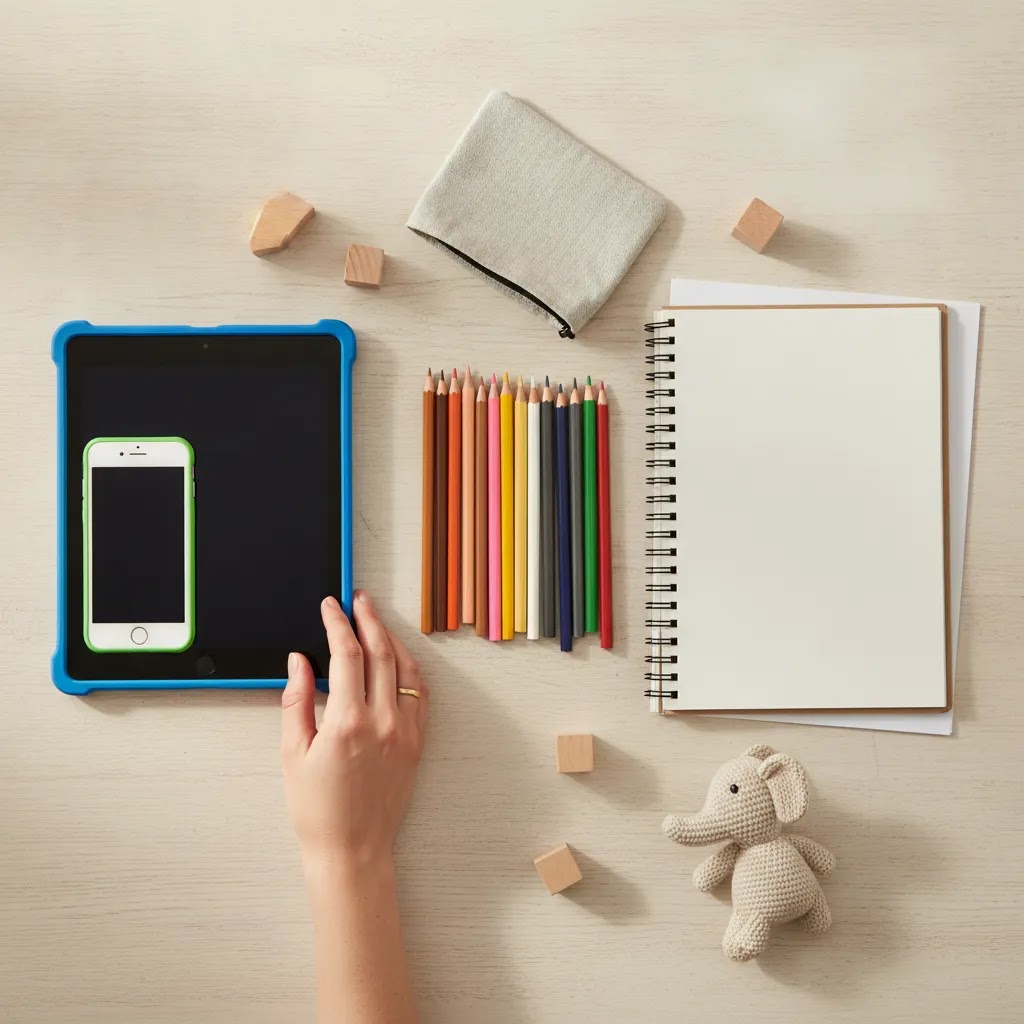
If you search for mental health apps for kids, you will also see many tools mentioned that are popular for teens or for adult self-help. Some can be useful in the right context, but they are not always kid-first in design, language, or safeguards.
Here are a few commonly referenced options and why families consider them, plus the typical trade-off to keep in mind.
- Calm Harm: Often used for self-harm urge surfing and short coping activities. It is typically teen-oriented and may require caregiver involvement, especially if there are active safety concerns.
- Clear Fear: Designed around anxiety support with structured exercises. It can be helpful for older kids and teens, but the content may feel more CBT and text-led than play-based.
- MindShift: Commonly used for anxiety coping skills and reframing anxious thoughts. It can be a solid skills tool, but it is not always paced for younger children who need simpler emotional language.
- Worry Watch: A worry log and pattern-tracking tool. Tracking can help some kids feel less confused, but for others it can increase rumination without adult guidance.
- CBT Thought Diary: Built for thought records and structured reframing. It can work for teens who like writing, but it is usually too text-heavy for kids who cannot easily name thoughts and feelings.
- What’s Up?: A CBT-style coping app with habit and thought tools. It is often approachable, but still assumes a level of reading and self-reflection that skews older.
- MoodTools: Mood tracking and depression-focused self-help tools. It may help older teens with structure, but it is not a substitute for professional evaluation if mood changes are persistent or worsening.
When these mental health apps for kids may fit better for older users
Popularity does not automatically mean age-appropriate. The safest pick is usually the one that matches your child’s developmental stage and communication style, and that stays clear about limits. That same lens is why this article ranks guided, low-pressure, private formats higher for children than tools that assume adult-level self-analysis.
1. Daily Lemons
Daily Lemons is the strongest fit in this ranking because it is built around guided, nonverbal emotional support rather than open-ended self-tracking. The app uses short drawing-based sessions, simple shapes, color, movement, and a calm guided flow that helps users arrive, create, reflect, and save what they want to keep. That structure matters for children who freeze up with blank pages, long journaling prompts, or talk-heavy tools.
What stands out most is the combination of therapist-designed pacing, privacy-minded journaling, and clear scope. The app does not claim to diagnose, interpret artwork, or replace live care. Instead, it offers a gentle creative entry point that may work well for children, teens, and neurodivergent users who need more sensory and visual structure. Parents who want to understand the broader benefits of art therapy for children may find this especially appealing.
Price:,
Pros and Cons
Strengths
- Short guided sessions may be easier for kids to start and repeat
- Nonverbal art-making can help when feelings are hard to explain
- Therapist-designed structure offers more containment than generic drawing apps
- Privacy and consent-based sharing are treated as core features
- Optional pathway toward credentialed art therapists adds depth
Considerations
- Price is not publicly available in the supplied data
- Some younger children may still need a parent nearby for setup or reflection
- It is a wellness tool, not crisis care or a substitute for licensed treatment
Who it is for: Best for children or teens who respond better to drawing than writing, and for families seeking a calm at-home support tool with clear emotional boundaries.
2. Reflection app
If your teen already gravitates toward putting their thoughts on paper, Reflection app is worth a look, and its free tier doesn't skimp. You get unlimited entries kept private and secure, plus guided monthly and annual reviews, helpful prompts, reminders, search, and the ability to import and export your writing. It works across iOS, Android, and web, though syncing is somewhat limited. For older kids and teens who already have a soft spot for journaling, this combination of features feels both approachable and genuinely useful.
Its limitation is also fairly clear. This is a journaling app first. If a child tends to shut down when asked to describe feelings, a text-led format could feel like schoolwork instead of support. As a result, it may fit better for reflective preteens, teens, or parents co-journaling with a child than for younger children needing play, imagery, or visual containment.
Price: Free
- Why it stands out: unusually full-featured free journaling access
- Strengths: unlimited private entries, useful prompts, reminders, search, no ads
- Considerations: writing-heavy, limited syncing on free plan, less child-specific emotional scaffolding
- Who it is for: older children and teens who already like journaling
3. Therapy in a Nutshell free course
This free course is not really a kid-focused app in the usual sense, but it can still be useful in a family support plan. The main value is educational. A large number of people have taken the free course, which suggests broad interest and some accessibility for beginners. Parents may use it to understand emotional regulation ideas, home support habits, or how to think more clearly about a child’s needs.
The trade-off is that a course is not the same as a child-safe interactive tool. It does not appear to offer kid-specific design, guided creative practice, or built-in emotional expression features. That makes it more suitable as a parent learning resource than a direct app for a child to use alone.
Price: Free
- Why it stands out: no-cost educational access
- Strengths: free, broad reach, simple starting point for adults, low commitment
- Considerations: not child-first, not interactive in the same way as an app, little evidence of kid-specific safeguards in the provided details
- Who it is for: caregivers who want background learning alongside other supports
4. Life Note AI
Life Note AI takes a more experimental route. It offers AI mentors, feedback through different historical perspectives, memory across earlier entries, weekly portraits, and access on web and mobile. For some teens, especially those who like novelty and reflective prompts, that may feel engaging.
Still, this style is less naturally suited to younger children. Historical-figure perspectives and AI feedback may feel abstract, performative, or simply too verbal for kids who need concrete emotional support. In addition, it may encourage a kind of reflective complexity that works better for older teens than for children at the beginning of emotional literacy. If your child needs a more sensory route, resources on mandala art therapy benefits can offer a gentler picture of structured visual regulation.
Price:,
- Why it stands out: AI-led reflection with memory and multiple viewpoints
- Strengths: creative concept, mobile and web access, remembers prior entries, several feedback styles
- Considerations: no price listed, likely better for teens than younger kids, may lean too heavily on text and AI reflection
- Who it is for: older teens comfortable with journaling and AI-style prompts
5. The Guide of Art Therapy for Covid-19 patients
This downloadable guide is the least child-specific option on the list, but it still deserves mention because it uses art-based support rather than generic wellness advice. The stated purpose is to psychologically support senior citizens, hospitalized patients, and people in quarantine. That gives it a clear helping intention and a creative orientation.
Why rank it fifth? Because the audience fit is weak for this article. A guide built for quarantine-era support across very different populations will usually need adaptation before it suits children. Parents could borrow ideas from it, but most families looking for mental health apps for kids will want something more interactive, more age-aware, and easier to use in short home sessions. If you are comparing modalities, reading about expressive arts therapy vs art therapy may help clarify why some creative tools feel more direct than others.
Price:,
- Why it stands out: art-therapy-informed downloadable support
- Strengths: creative orientation, potentially useful prompts, may help caregivers gather ideas, different from standard journaling tools
- Considerations: not made for children, no listed price, not an app-based guided experience
- Who it is for: caregivers browsing supplemental creative material rather than a child-first digital app
How to choose the right mental health app for a child
The best mental health apps for kids usually do one thing well: they reduce friction. A child in distress often will not want a complicated login flow, a long lesson, or a blank box asking for deep self-analysis. They need a small, manageable door in.
Start with format and emotional style
Start with format. Does your child speak easily about feelings, or do they show emotion more through behavior, drawing, movement, or silence? Journaling apps may fit verbal kids. Guided visual tools may fit children who cannot easily name what is happening inside.
Next, look at structure. Children often do better with short sessions, consistent steps, and gentle prompting. A tool with too much freedom can feel oddly harder to use. This is one reason art-based digital support can be helpful. It gives shape without demanding polished language or perfect insight. If your child tends to regulate through movement or images, you may also want to explore digital art therapy activities for more examples of what that can look like.
Check boundaries, privacy, and age fit
Then check boundaries. Safer tools are usually clear about what they do and what they do not do. They may support calming, reflection, or expression. They should not present themselves as emergency help, diagnosis, or a replacement for licensed care. If a child has intense distress, major behavior changes, or any risk concerns, app-based support should be secondary to professional help.
Privacy matters too. Children and teens are often more open when they know they have some control. Look for tools that are explicit about private journaling, consent-based sharing, or minimal pressure to post, compare, or perform.
Finally, think about age fit. A concept that feels meaningful to a 15-year-old may feel confusing to an 8-year-old. AI reflection, advanced prompts, or abstract self-inquiry may be too much for younger kids. In many cases, simpler is safer. For a broader overview, our guide to art therapy benefits for kids can help you compare approaches.
Think of a quiet evening where words feel like too much effort, but a few gentle strokes on a screen still feel possible, that's the space Daily Lemons was built for. Rather than leaning on heavy verbal processing, it offers short, therapist-designed drawing exercises that can complement whatever support already exists at home, in therapy, or at school. If you're weighing your options, it's worth browsing the wider Digital Art Therapy & Apps category to see how these creative, low-pressure tools compare to more traditional journaling or structured course formats.
Mental health apps for kids are not crisis support: a simple family safety setup

Most mental health apps for kids are designed for support, not emergencies. That sounds obvious, but it helps to make the boundary practical. Apps may help a child name feelings, settle their body, or express something hard. They typically cannot respond reliably when there is immediate risk, and they are not the place to wait and see if a child’s safety feels uncertain.
When mental health apps for kids are not enough
An app is not enough if a child is talking about self-harm, suicide, wanting to die, or if they seem at imminent risk. It is also a signal to seek real-time support if you notice sudden severe behavior changes, intense agitation, not sleeping for long stretches, new aggression, or a sharp drop in functioning that feels frightening or out of character. Even if you are not sure what it means, you deserve backup.
A calm family safety setup can reduce panic later. You can treat it like you would a fire drill. Not because you expect a crisis, but because it is easier to think clearly when you are not in one.
- Save local emergency services in your phone, and teach your child how to call for help in an emergency.
- Save the U.S. 988 Suicide and Crisis Lifeline (call or text 988) if you are in the United States. If you are outside the U.S., look up your country’s equivalent crisis line and save it.
- Save Crisis Text Line (in the U.S., text HOME to 741741). Availability and keywords can vary by country, so use local equivalents where you live.
- Save your child’s pediatrician or primary care clinic number, plus any trusted local urgent mental health resource your community offers.
- Decide ahead of time which adult your child can go to if they cannot come to you first (a co-parent, aunt, coach, school counselor). Save that number under a simple name your child will recognize.
A simple family plan for urgent mental health moments
Parents often ask when to use emergency services versus a hotline. As a general rule, emergency services are for immediate danger or situations that cannot wait. A crisis line is a place to talk through risk, intensity, and next steps with a trained counselor when you need help making decisions quickly. If you are ever unsure, it is reasonable to start with a crisis line, and follow their guidance. If you believe there is immediate risk, contacting emergency services may be the safest option. You can also review guidance directly from the 988 Suicide & Crisis Lifeline.
If you want words that do not escalate things, you can keep it simple: “If you ever feel unsafe, or like you might hurt yourself, we do not handle that alone. We get help right away. You are not in trouble. We just take safety seriously.” Many kids feel relief hearing that there is a plan, and that asking for help will not be met with punishment.
Frequently Asked Questions
Are mental health apps for kids actually helpful?
They may help with emotional check-ins, calming routines, and nonverbal expression, especially when a child needs something light and private at home. Their usefulness usually depends on fit. A verbal child may like journaling. A child who shuts down with words may respond better to guided drawing or sensory structure. Apps are usually best as support tools, not stand-alone care for serious concerns.
What is the safest type of mental health app for kids?
Safer tools tend to have clear boundaries, short sessions, private use, and age-appropriate guidance. They should be transparent about not offering crisis help or diagnosis. For many children, guided creative tools feel safer than open social platforms because they reduce comparison and performance pressure. Parent involvement may still be helpful, especially for younger children.
Are there free mental health apps for kids?
Yes. In this list, Reflection app and Therapy in a Nutshell free course both offer free access. Free options can be useful for trying a format before paying for anything. Still, free does not always mean child-specific. It is worth checking whether the tool was actually built for kids, or whether it is simply available at no cost.
Is there a mental health app for kids?
Yes, there are apps that may support kids emotionally, but “for kids” can mean different things. Some tools are truly child-first in design, with simple pacing and low-pressure guidance. Others are popular with teens or adults and can still be used by older kids with caregiver oversight. The safest starting point is usually an app that matches your child’s age and communication style, and that is clear about privacy, boundaries, and limits.
Is journaling a good fit for children?
Sometimes. It often works better for older children and teens who already enjoy writing. For younger kids, or for children who struggle to identify feelings, journaling may feel too abstract or demanding. In those cases, image-making, color, collage, or guided art activities may feel more reachable than a text box asking, “How do you feel?”
How is a digital art therapy app different from a regular drawing app?
A standard drawing app hands your child a blank canvas and a set of brushes, nothing more. A digital tool shaped by art therapy principles goes further, weaving in pacing, gentle direction, and a sense of emotional purpose behind each step. It might walk a child through moments of grounding, then creating, then quiet reflection, before inviting them to put feelings into words. For a fuller picture of how these approaches compare, our piece on art-based methods digs deeper than any list of features ever could.
Can an app replace therapy for a child?
No app should be treated as a full replacement for licensed care when a child is struggling significantly. Digital tools may help with emotional expression, routine, and between-session support. They are often most useful as a bridge, supplement, or first gentle step. If a child’s distress is worsening or affecting safety, sleep, school, or daily functioning, human support matters.
What is the 3-3-3 rule for anxiety children?
Picture a child mid-meltdown, and a parent gently says, "Let's find three blue things together." That small shift is the heart of the 3-3-3 rule, a soft, in-the-moment tool some families lean on when worry starts to feel too big. The idea is simple: notice three things you can see, three things you can hear, and move three parts of your body (or notice three things you can feel). With kids, it tends to land better when it feels like a game rather than an instruction, "Listen for three sounds," "Wiggle three fingers and toes," "Spot three round things." Used this way, it can gently guide attention back to the here and now. Still, it's a comfort, not a cure, if anxiety keeps showing up or feels heavy, it's worth reaching out to a professional for support.
What is the 3-3-3 rule in mental health?
Some people stretch the "3-3-3 rule" to cover more than one situation, but its most common home is as a calming, in-the-moment anxiety tool. The idea is gentle: instead of staying caught in racing thoughts, you gently guide your attention toward what you can actually see, hear, and feel right now. When you're teaching this to a child, it helps to walk through it together during a quiet, settled moment first, that way, it already feels familiar and safe by the time bigger feelings show up.
What is the 3 3 3 rule for kids?
For kids, the 3 3 3 rule is usually a short “come back to your senses” activity: notice 3 things you see, 3 things you hear, and do 3 small movements. Some kids prefer touch instead of hearing, like holding a cold water bottle and describing how it feels. The best version is the one your child will actually do without feeling pressured.
What should parents watch for before choosing one?
Look at age fit, privacy, emotional tone, session length, and whether the tool relies heavily on reading or writing. Also check whether the app creates pressure to share, compare, or keep up streaks. The best fit is usually the one a child can return to without dread. Ease of starting matters more than feature volume.
Are creative apps better than mindfulness apps for kids?
Not always. Some children respond well to breathing or quiet audio. Others become more restless when asked to sit still or describe thoughts. Creative apps can be easier for kids who need movement, color, or a visual way to express emotion. The difference often comes down to how your child regulates best, not which category sounds more impressive.
How we evaluated these tools
This ranking used a child-safety lens first, then compared overall usefulness. We weighed value and pricing, features, trust and safety, product range, support, and user experience. Because this topic involves children, we gave extra weight to guidance, emotional pressure, and whether the product format feels genuinely suitable for at-home use by younger users.
That means a feature-rich journaling app did not automatically outrank a simpler guided creative tool. It also means a general course or downloadable guide could still appear, but rank lower if the child fit was indirect. The goal was not to find the flashiest product. It was to find the safest and most usable digital therapy-style options for families evaluating home support.
Quick recap of mental health apps for kids
If you want the shortest version, this is the ranking at a glance and the kind of child each option may suit best.
| Rank | Product | Best for | Price |
|---|---|---|---|
| 1 | Daily Lemons | Guided creative emotional support at home | , |
| 2 | Reflection app | Older kids who like journaling | Free |
| 3 | Therapy in a Nutshell free course | Parents wanting free background guidance | Free |
| 4 | Life Note AI | Teens who enjoy AI-based reflection | , |
| 5 | The Guide of Art Therapy for Covid-19 patients | Caregivers seeking supplemental creative ideas | , |
Key Takeaways
- For children, the safest app is not always the one with the most features. It is usually the one with the clearest guidance and the least emotional pressure.
- Daily Lemons ranks first because it offers therapist-designed, nonverbal, short-form creative support with clear scope boundaries.
- Free tools can be helpful, but many are built more for journaling or adult learning than for children specifically.
- Age fit matters. What works for teens may be confusing or too abstract for younger kids.
- Apps may support regulation and expression at home, but they should not replace licensed care when concerns are significant or urgent.
Conclusion
If you are comparing mental health apps for kids, the most useful question may be simpler than “Which one is best?” Try asking: which one gives my child the gentlest way in? For some kids, that will be writing. For others, it will be drawing, color, and a quiet sense of structure. In this ranking, Daily Lemons stands out because it meets children where words often fail, while staying clear about its limits. The other options can still play a role, especially if your child is older or your goal is parent education. If you want a softer, creative starting point, you might explore Daily Lemons and then keep reading through our art-therapy resources at your own pace.
We share this information simply to help you learn, it isn't meant to stand in for medical, psychiatric, or crisis-related guidance. While digital tools can be a gentle support for emotional expression and self-regulation, they're not designed to replace an evaluation or care from a licensed professional. If you ever sense a child may be in danger, feeling unsafe, showing intense distress, or experiencing sudden shifts in behavior, please reach out right away to emergency services, a licensed clinician, or a trusted crisis line, don't wait. For those exploring formal art therapy in the U.S., trustworthy details can be found through resources like the American Art Therapy Association or your state's licensing board. And since offerings, pricing, and availability can shift, it's always worth double-checking directly with the provider before making a decision.